[Main](Main.md.html) - [Projects](Projects.md.html) - [Tutorials](Tutorials.md.html) - [Development](Development.md.html) - [ArtTools](ArtTools.md.html) - [Estrela](Estrela.Estrela.md.html) - [Legal](Legal.md.html)
# ArtTools
During development of our demos and sample games, we wrote plugins and helpers for the content creation applications we use. Here you will find some of them.
They are **not tied to luxinia**, but could be used for anything. If you search for tools that are directly linked with luxinia (exporters...) then go to [luxinia development tools](Tools.Tools.md.html).
# 3dsmax
Most scripts / plugins were tested on 3dsmax 5.1, 8 (sp3) 9, 2008, 2009, 2010 (all 32bit)
## LSCM Unwrap
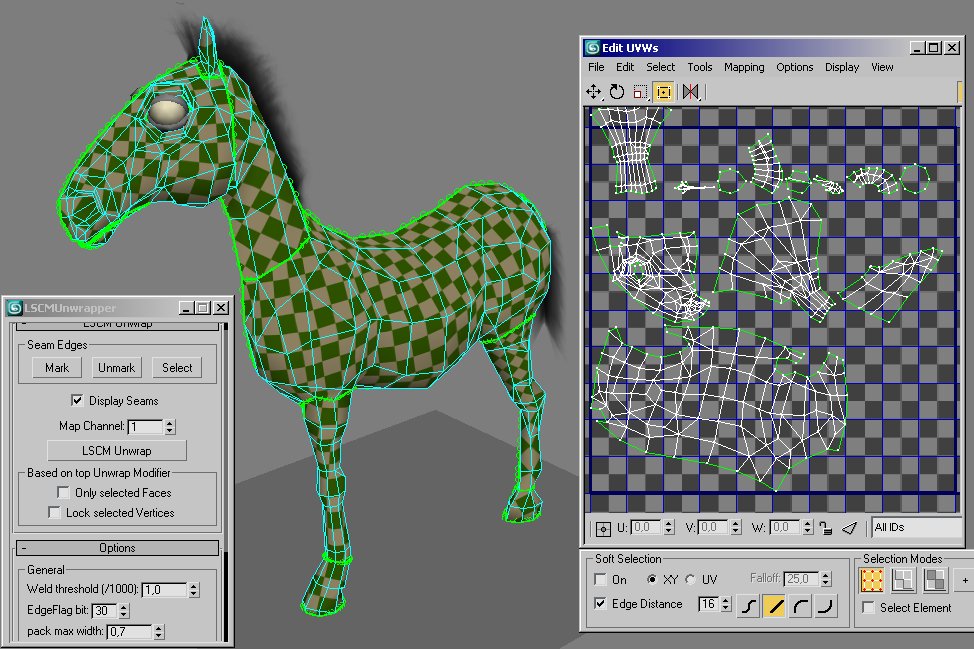
The plugin/maxscript combination performs UV Unwrapping based on Least Squares Conformal Maps. It is based on the [blender3d](http://www.blender3d.org) implementation by Brecht Van Lommel and Jens Ole Wund. You will set the uv-seams on the object, and the unwrapper will compute uv coords and minimize distortions.
The script now supports proper relative scaling of UV chunks so that it tries to preserve a common texel/unit ratio.
With 64-bit versions (untested but included)
If the plugin/script for some reason doesn't work, please contact us about it.
[3dsmax5.1 -2010 - DOWNLOAD plugin+script - with source v1.0 (1st June 2009)](http://www.luxinia.de/download/arttools/lscmunwrap.zip)
## Edge Straighten
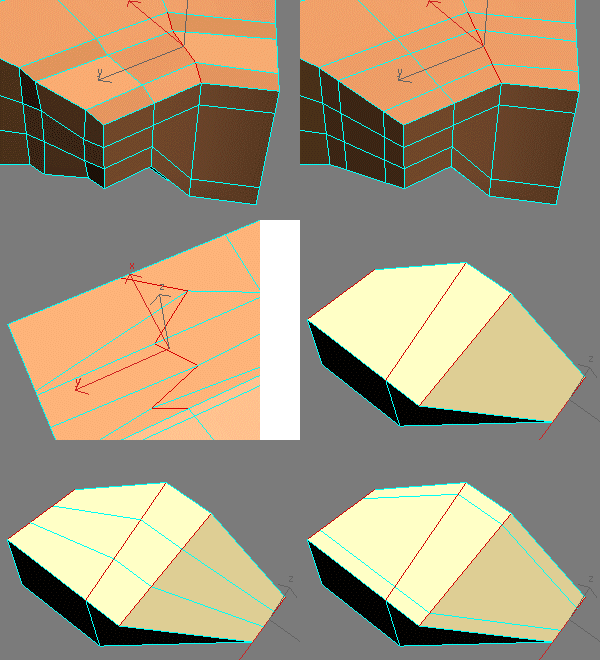
The maxscript allows straighten edges from edge selections. The dialog execute allows setting of distances for outer vertices. A value of 0 means projection of original distance. Outcome depends on length of an edge series within the selection.
* For 1 edge, the edge is turned into a 3 edge loop and then straightened with the dialog value.
* For 2 edges it is purely straightened
* For 3 or more edges it is straightend with the value.
Workflow ideas and testing by Per Abrahamsen [www.per128.com](http://www.per128.com), who also provides some [mini tutorials](http://www.per128.com/pages_tutorials/index.html) in which the script is used
[3dsmax5.1 and up - DOWNLOAD script - v0.9](http://www.luxinia.de/download/arttools/CB_EdgeStraighten.mcr)
## AxisFromMouseMove
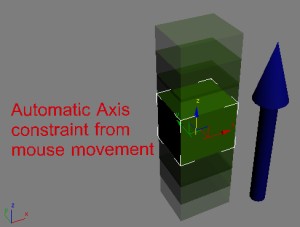
This macroscript tracks your mousemovement if activated. When you start a drag in a perspective or user viewport it will find out the best major axis of the mouse drag you currently do and lock the axis to it. Inspired by LightWave and the idea was brought for by [Paul Greveson](http://www.greveson.co.uk).
[3dsmax5.1 and up - DOWNLOAD script - v0.8](http://www.luxinia.de/download/arttools/CB_AutoAxisFromMouse.mcr)
## Vertex UVW Color Map
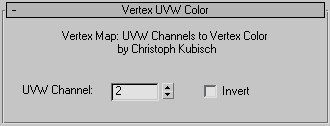
The "Vertex UVW Color" 2D Map allows to use all 99 UVW Channels as source and also comes with a invert checkbox. The plugin only works for 3dsmax5.1, superior versions give the same functionality already natively.
## Vertex UVW/Color Copy
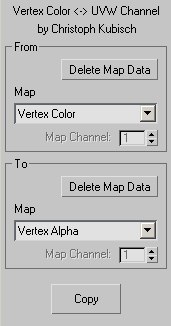
This macroscript let's you copy one UVW Channel to another, and also from or to Vertex Color / Illumination / Alpha. You can also delete channels.
The main idea behind these two tools was to be able to use Vertex Alpha and more Vertex Colors as blend controllers in the material editor.
[3dsmax5.1 - DOWNLOAD plugin+script - with source](http://www.luxinia.de/download/arttools/vertexmap.zip)
## Self Intersection Selection
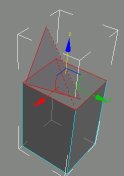
The macroscript performs a selfintersection test on editable mesh objects and selects all faces that have intersection and all edges that are the cause of it.
[3dsmax5.1 and up - DOWNLOAD script](http://www.luxinia.de/download/arttools/CB_SelfIntersectSelection.mcr)
## Link Biped to Object
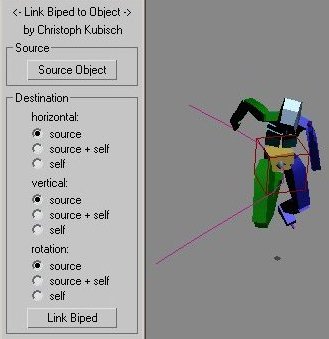
The macroscript allows a biped to follow another object. The Biped's horizontal/vertical/turning keys will be modified to match the objects'. Optionally additive or original key useage is allowed. You need to have animation frames in advance, to show an effect. It will not cause the biped to move with the object dynamically.
[3dsmax5.1 and up - DOWNLOAD script](http://www.luxinia.de/download/arttools/CB_LinkBipedRoot.mcr)
# 3dsmax .FX
Here you will find some .fx files mostly done for quick tests.
More details on tweakables when you click the image.
## Simple Glass
very simple glass like effect, mostly to get non transparent specularity. Also has options for rim-lighting.
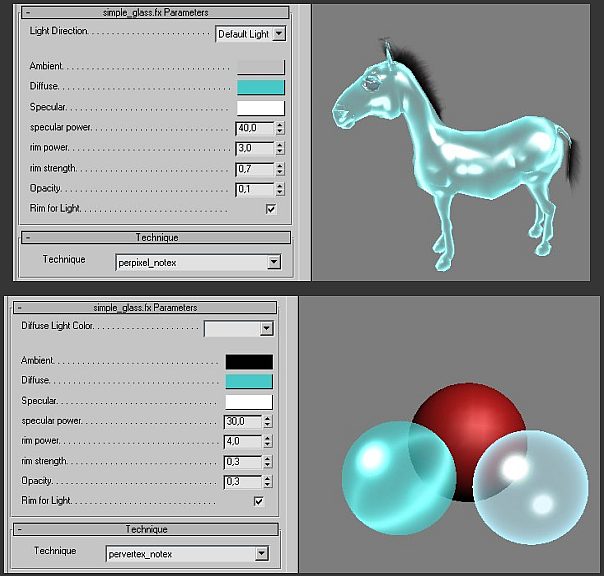
[fx file](http://www.luxinia.de/download/arttools/simple_glass.fx)
## Vertex Color Blend
allows to blend textures using vertex color/alpha. There are three techniques, one blends the two base textures, the other one blends two material setups consisting of base,overlay and multiply texture. Each texture can have individual uv-mapping channel. The third technique blends 4 Textures based on Vertex R G B Channels individually. The 4th weight is the rest value that is left (if all others are summed to 1)
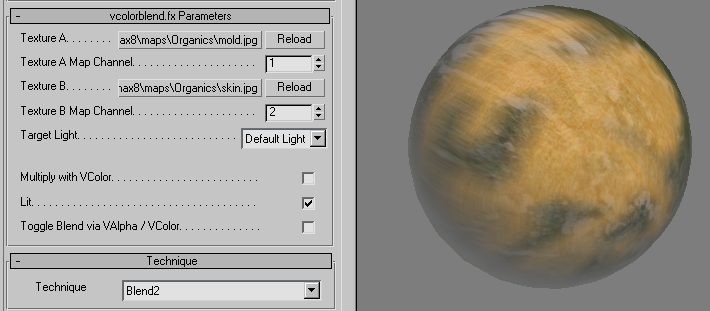
[fx file](http://www.luxinia.de/download/arttools/vcolorblend.fx)
(last updated 30.10.07-00:07)
## Generic Image Based Lighting
Generic Image Based Lighting shader, with lots of extras (normal, specular, emissive, enviro,...)
Originally released by [Brice Vandemoortele](http://www.mentalwarp.com) and [Cedric Caillaud](http://www.kjapi.com) for Maya as CgFx
Minimum Requirement are Shader Model 2 capable cards
More details and cool pictures [here](http://www.mentalwarp.com/~brice/shader.php) and on [polycount](http://boards.polycount.net/showthread.php?t=49920)
- **3dsmax Version with different codebase and additional changes by me:** [fx file](http://www.luxinia.de/download/arttools/GenericIBL_1-6.fx) (last updated 5. February 2010)
There are currently a few changes to the Cg version, color information is done via the texture maps (emissive,specular and subsurface). Alphatesting being done based on diffuse.alpha. LightColor influences diffuse and multiple light support was added (up to 3). SpecularPower is encoded in specular.alpha or as separate texture, dedicated ReflectionStrength map was added. Now supports all shadermodel2 cards, too.
`Features:`
* Image Based Lighting based on Light/Normal angle and View/Normal angle with BRDF Texture
* Mixing between two BRDF Textures
* via Weight Texture
* via Cavity
* Normalmap
* Colored Diffuse, Specular, Emissive, Environment, Reflection textures
* Specular.alpha encodes "power" (or separate map possible for SM3 cards)
* Reflection.alpha encodes "blur" influence
* AmbientLighting with
* CubeMap
* Hemispheric between 2 colors (ground/sky)
* AmbientOcclusion/LightMap mixing encoded in
* dedicated Texture using second UV Channel
* VertexColor
* Lots of tweakables/colorpickers for additional changes
* 1 or 3 Lights
* Basic shader versions for old cards (Radeon9600)
# Cinema4D
## Vertexmapmerger and polygonselection merger
Vertexmaps can be used for lots of effects such as transparency, faking ambient lights and so on.
Polygonselections are normaly used to assign different textures to the polygons. When two objects are merged, the polygonselections are not merged. This plugin can merge multiple selectiontags with the same name into a single selectiontag.
If multiple polygon objects are merged in C4D, the vertexmaps won't be merged. This little tool can merge multiple vertexmaps in various ways, the most useful option might be the maximummerge that will merge two distinct vertexmaps correctly into one:
| |
|---|
| 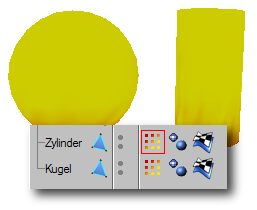 |
| Two distinct objects with two vertex maps |
|  |
| The merged model - with two distinct vertexmaps |
|  |
| The merged vertex map |
The plugin supports also other merge operations for each two vertexmaps:
* using the maximum values of each map
* using the minimum values of each map
* averaging the values of each map
* negating a selected vertex map
* merging polygonselections of the same name
[Download plugin](../uploads/ArtTools/vertexmapmerger.zip)